WorkSync
Centralized docs, task boards, PlantUML, AI assistant, and whiteboards
for more efficient teamwork
One toolset per project, from kickoff to delivery, aligning teams internally and clients externally.
Data-driven decisions
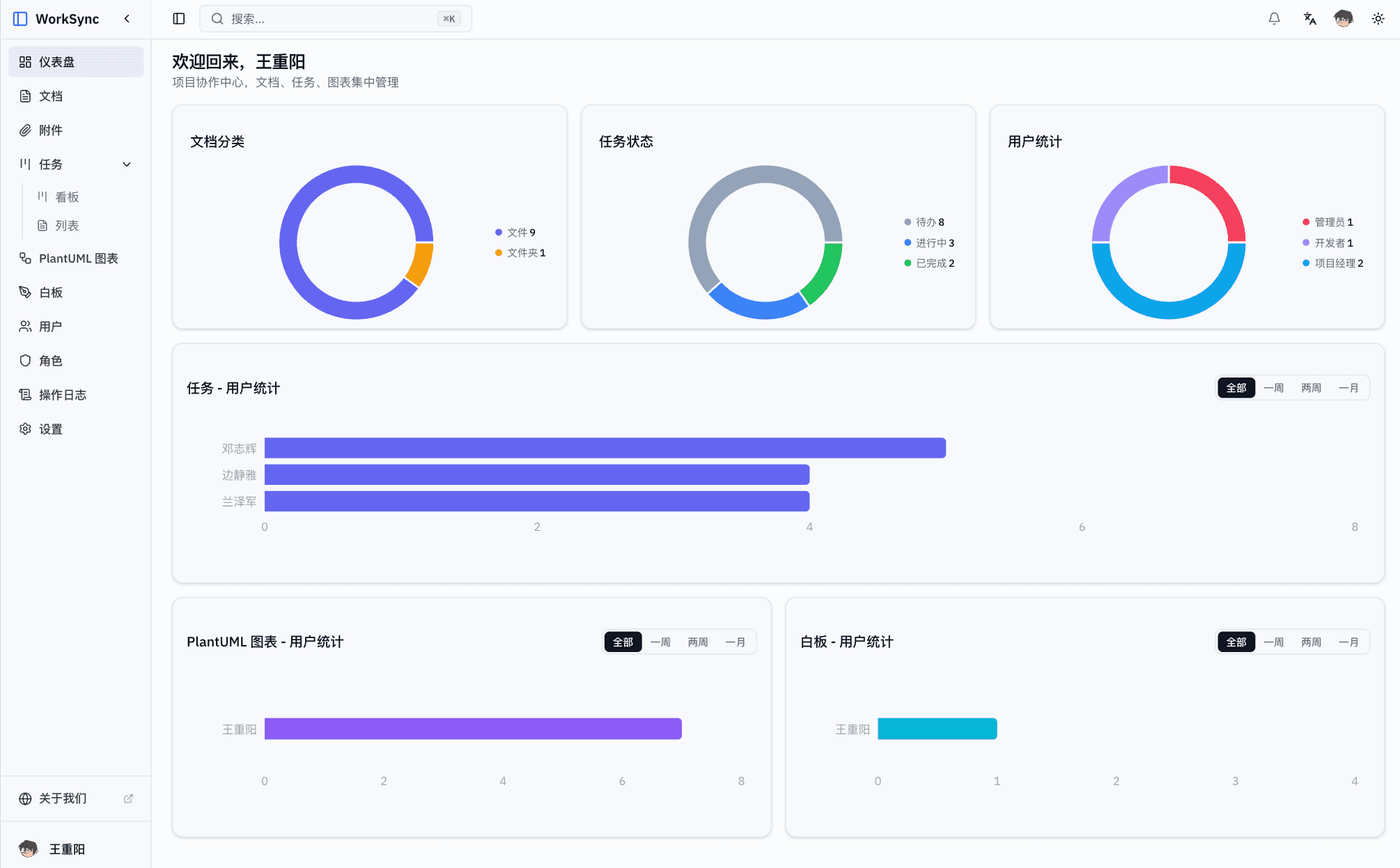
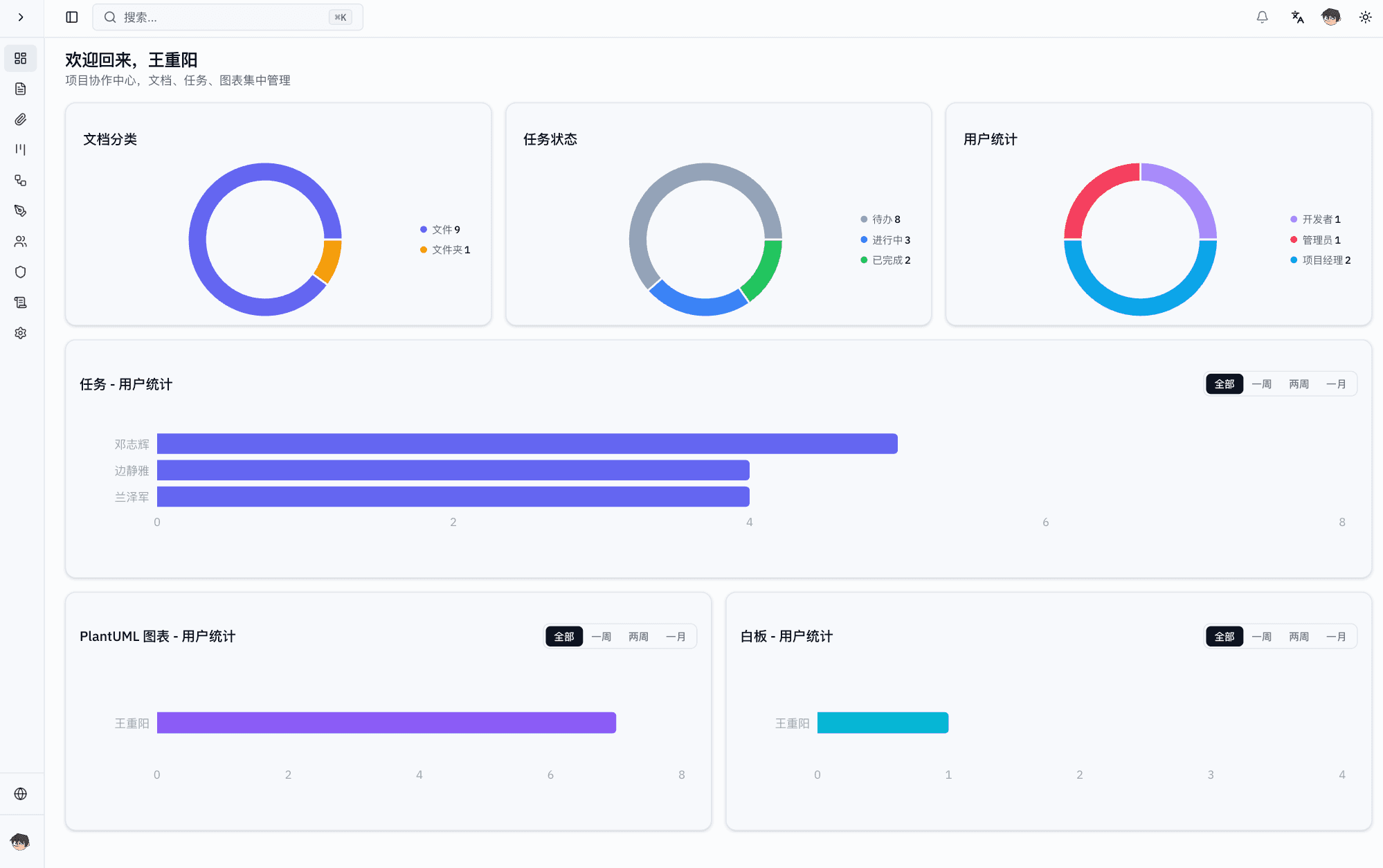
Dashboard overview
See the whole project at a glance across document categories, task status, and user activity.
- Live document and task statistics
- Multi-dimensional user activity
- PlantUML and whiteboard usage trends
- Team workload visualization
Centralized docs
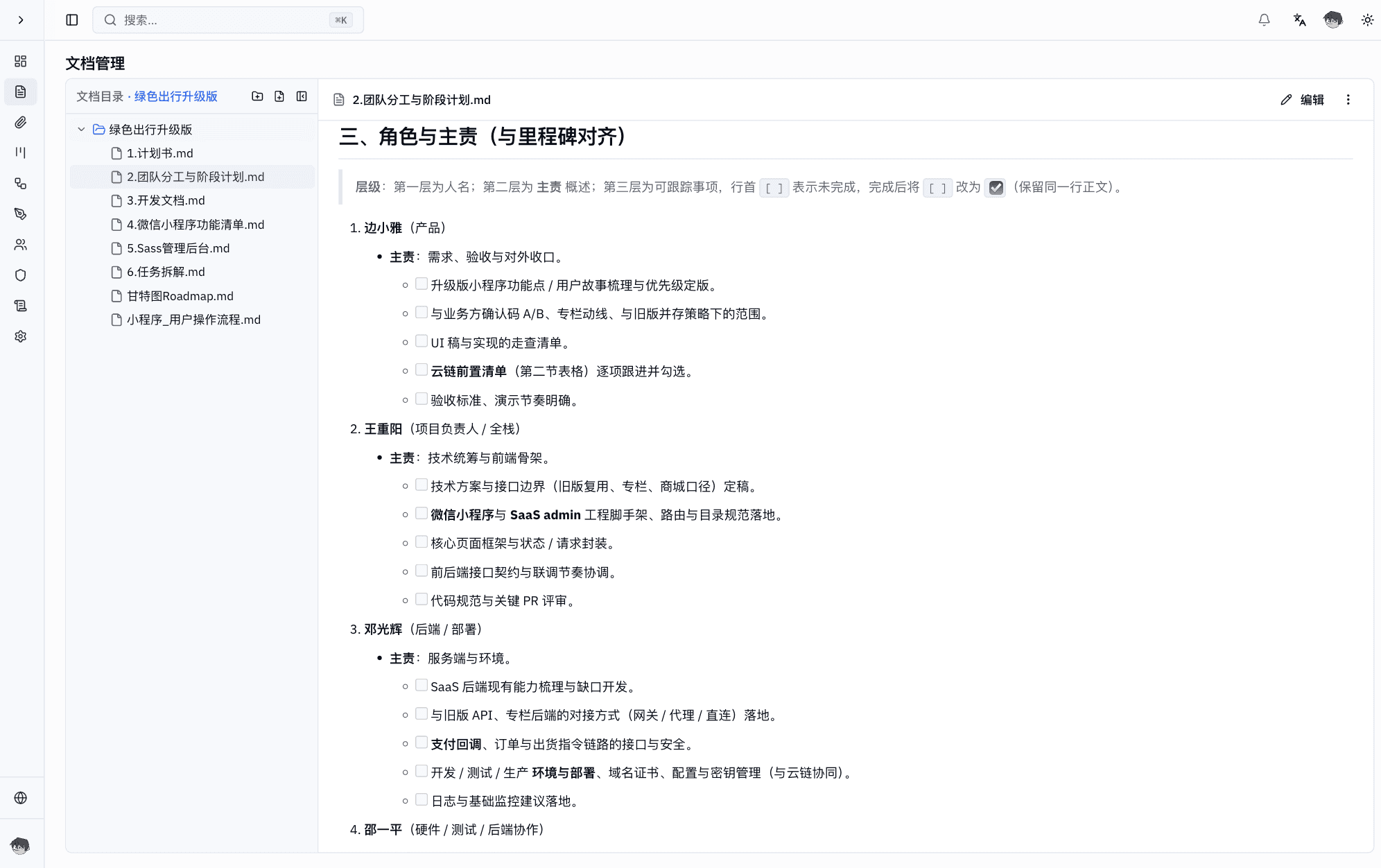
Unified knowledge base
Keep design docs, manuals, standards, and notices in a structured tree with online Markdown editing.
- Tree folders for multi-level organization
- Online Markdown editor with live preview
- Design docs, manuals, and standards in one place
- Fine-grained read/write permissions
Agile task management
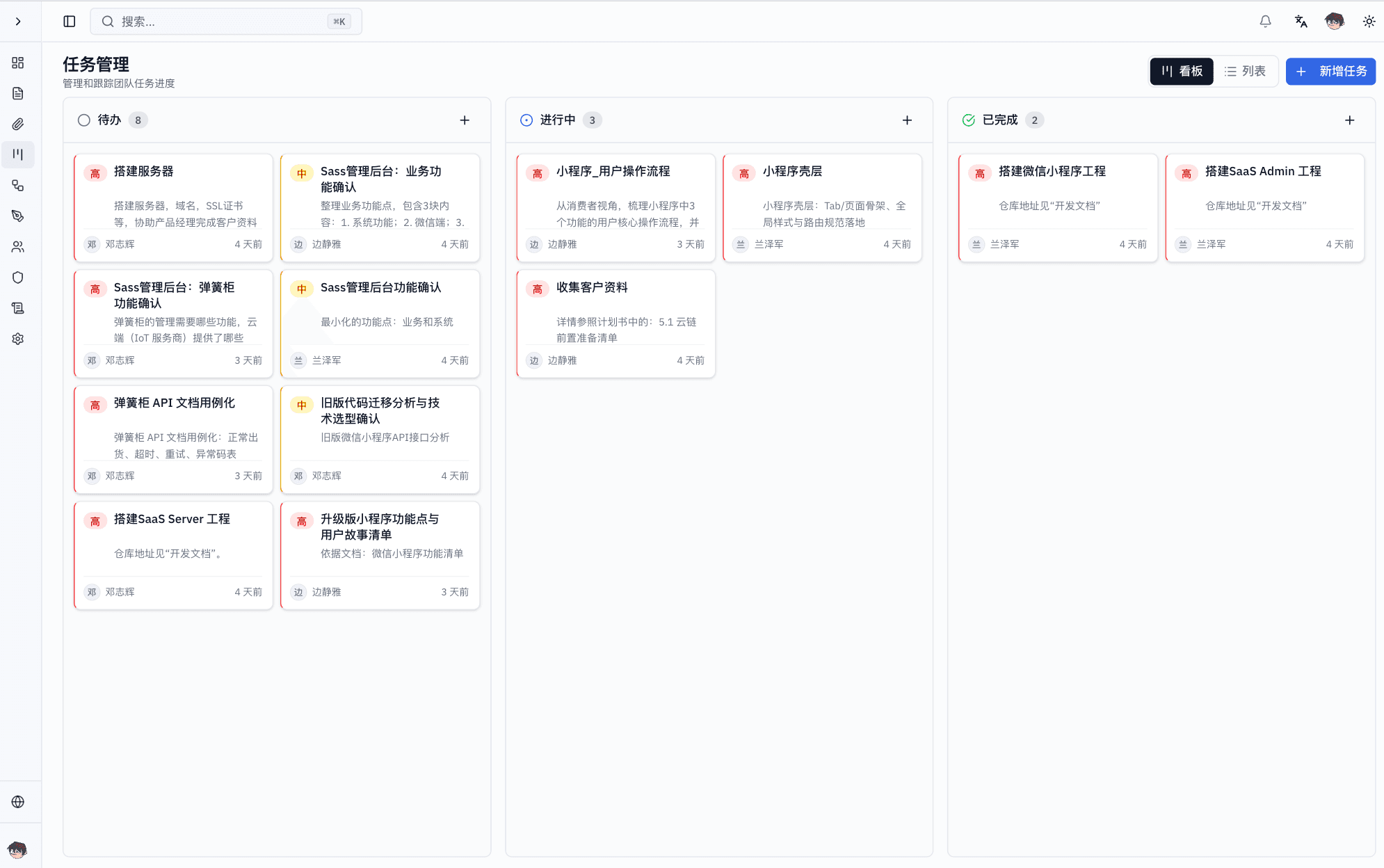
Board and list views
Categorize, assign, and track tasks with clear progress. Drag on boards or manage in lists.
- Three-column boards: todo, doing, done
- Priority labels and color coding
- Switch freely between list and board views
- Task assignment and owner management
PlantUML diagrams
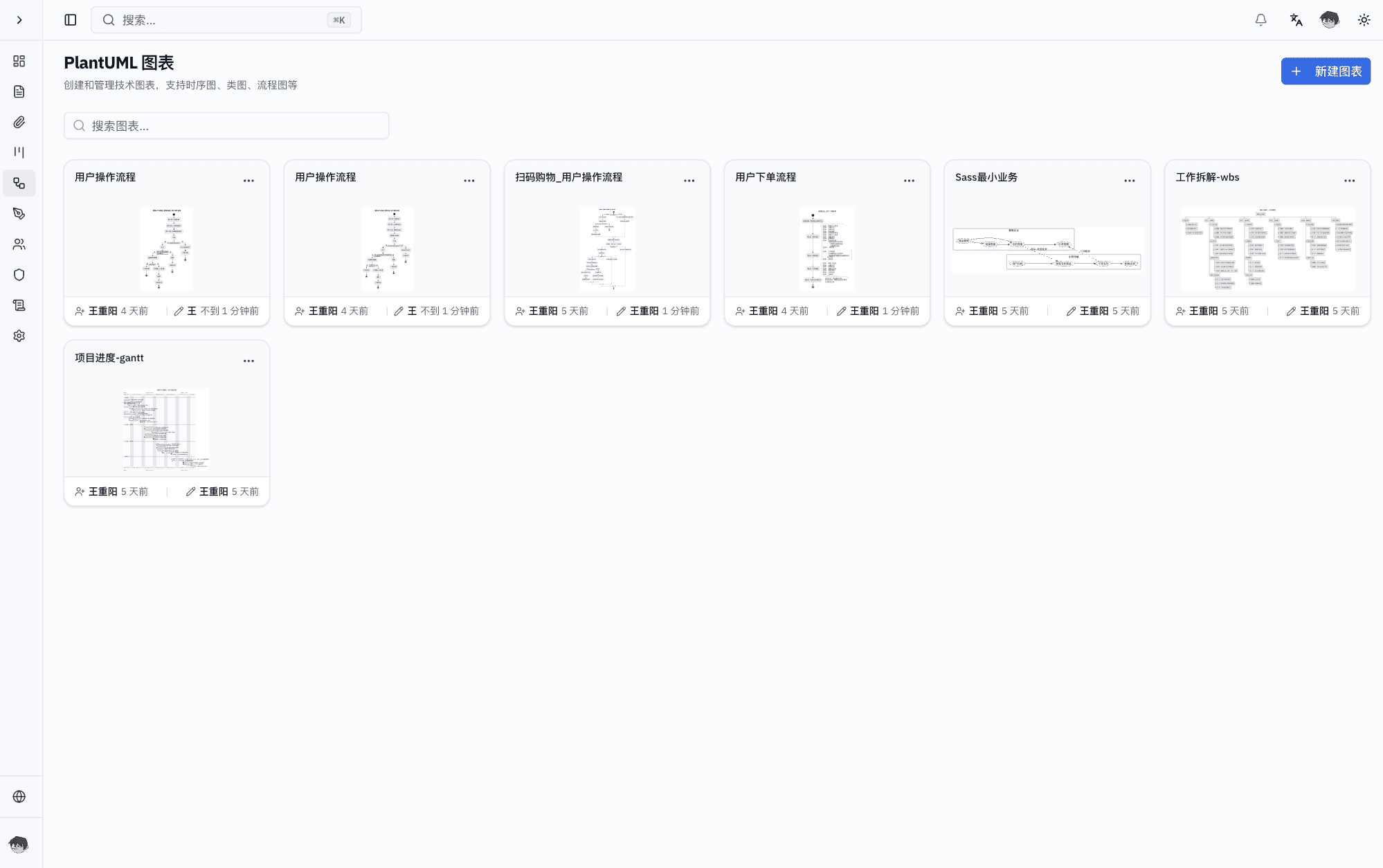
Generate diagrams from code
Create sequence, class, flow, and architecture diagrams for technical discussions and reviews.
- Live PlantUML rendering
- Support for sequence, class, and flow diagrams
- Centralized diagram library and search
- Share and embed diagrams in docs
AI diagram assistant
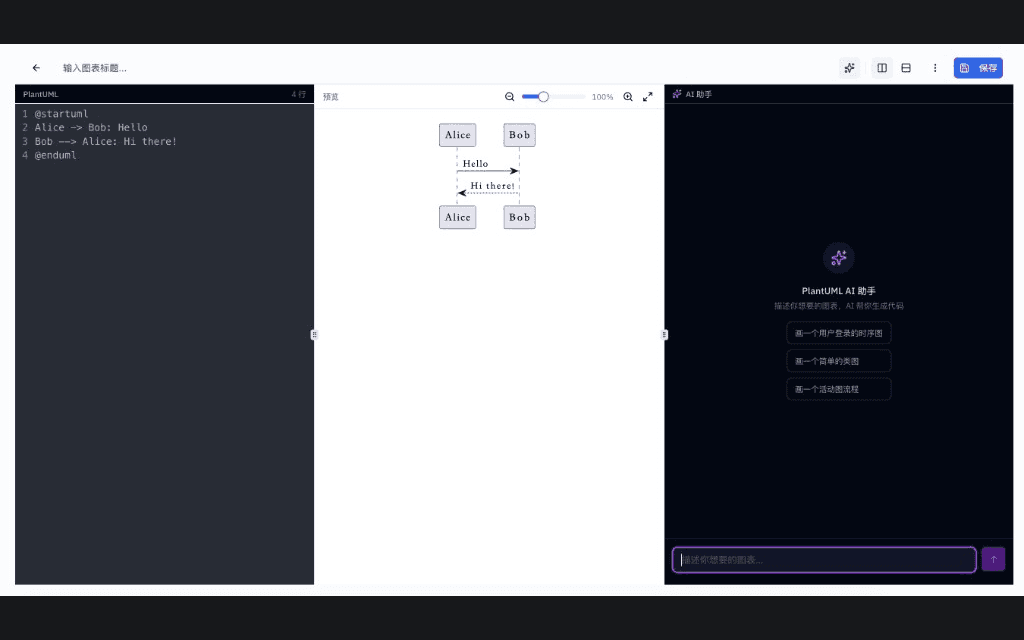
Natural language to PlantUML
Describe what you need and let AI generate complete diagram code that can be applied to the editor.
- Conversational generation from natural language
- Context-aware edits based on current code
- Streaming output, interrupt, regenerate, and clear chat
- Supports sequence, class, use case, activity, state, component, and ER diagrams
Collaborative whiteboards
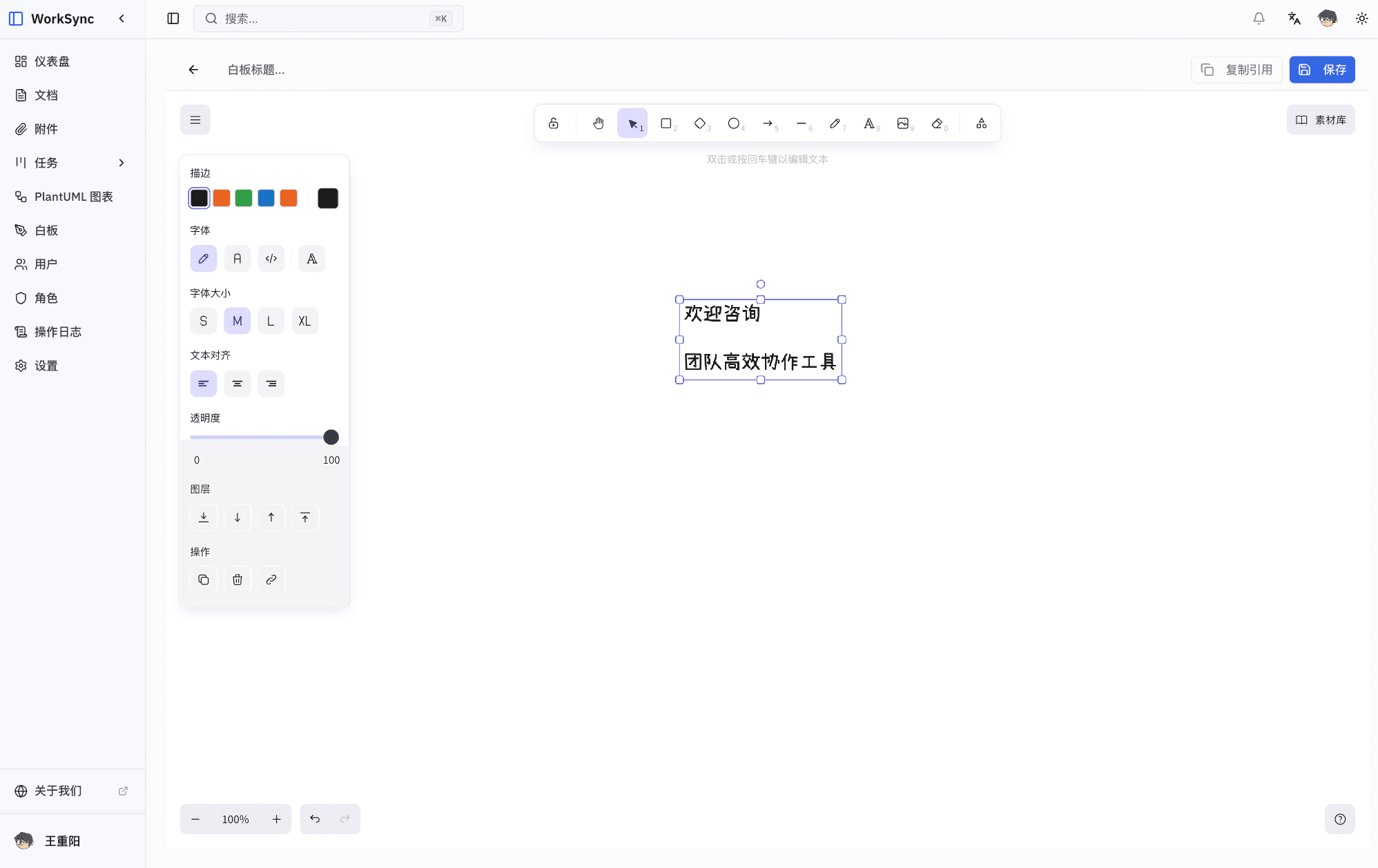
Realtime shared canvas
Hand-drawn style whiteboards for sketching, annotation, brainstorming, and solution reviews.
- Freehand drawing and annotations
- Realtime multi-user collaboration
- Embed in docs and tasks
- Export PNG / SVG
Complete Product Experience
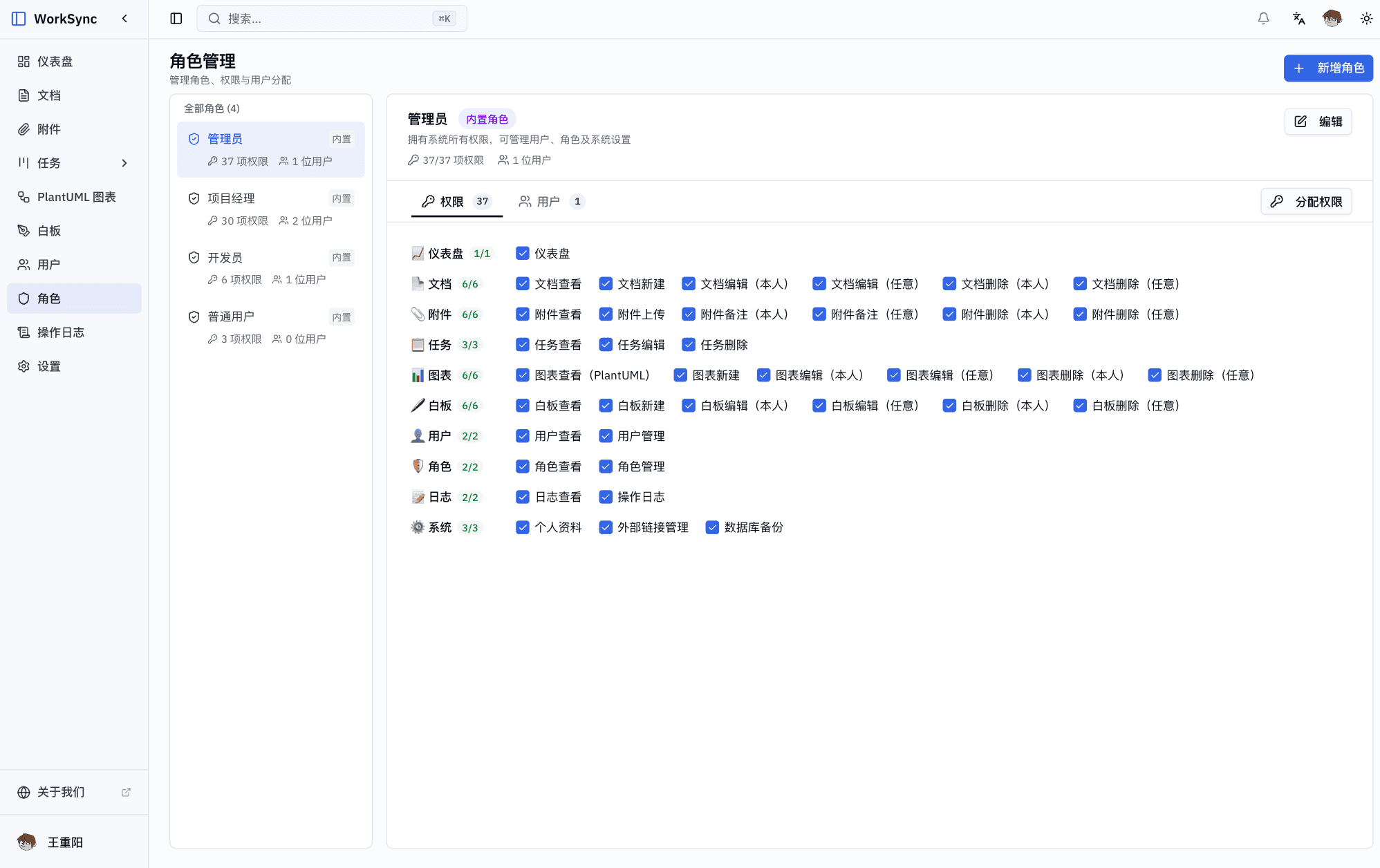
From requirements to delivery, from technical diagrams to whiteboards, one platform covers the full project lifecycle.
Why WorkSync
Cloud-native and containerized deployment keeps knowledge centralized, progress transparent, and communication traceable.
One collaboration hub
Docs, tasks, diagrams, and whiteboards in one platform to reduce tool switching.
Data security
Online backup, one-click restore, encrypted transfer, permissions, and audit controls.
Cloud-native deployment
Containerized architecture for private cloud or specified environments with elastic scaling.
Team collaboration
Align product and engineering internally and share read-only spaces with clients.
Ready to improve team collaboration?
Try WorkSync and keep docs, tasks, and diagrams flowing in one workspace.